How:
Winning ad patterns
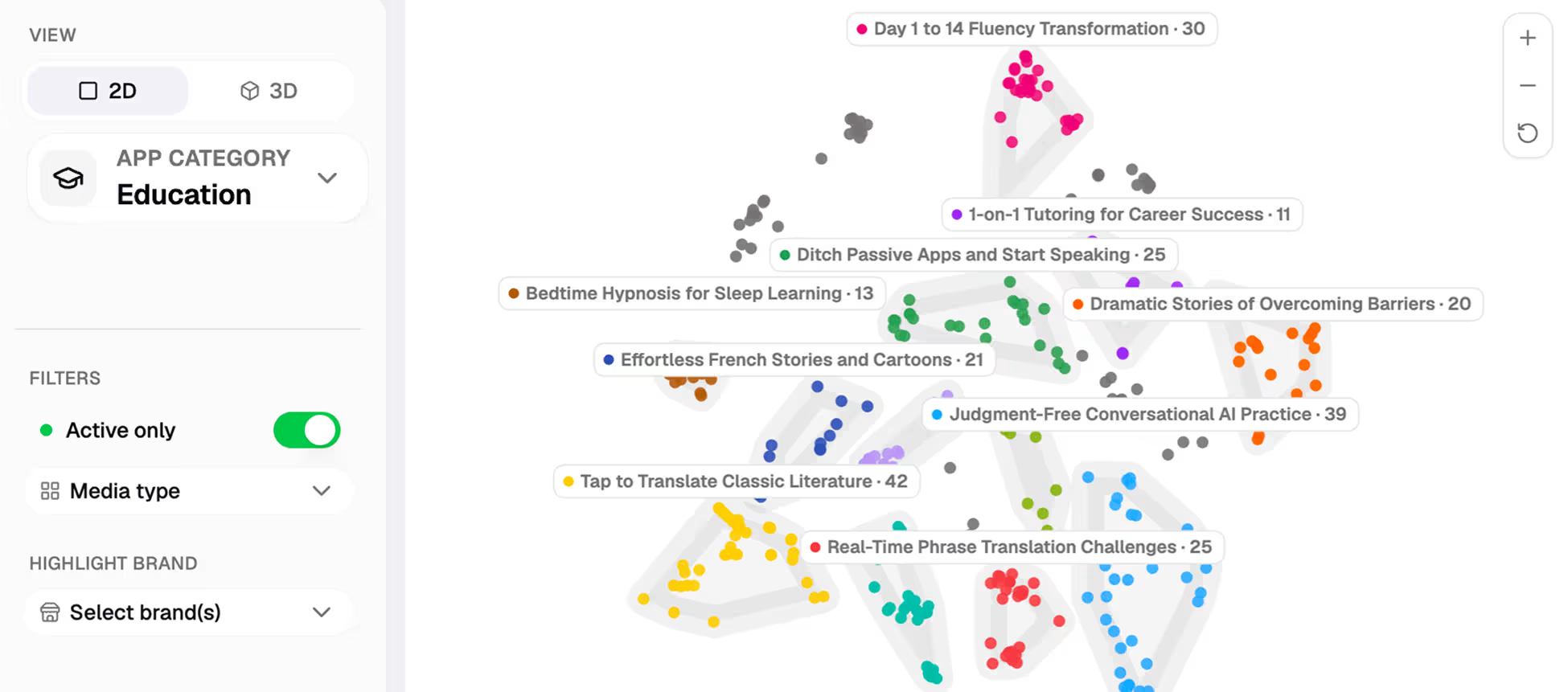
Explore winning ad patterns across app categories
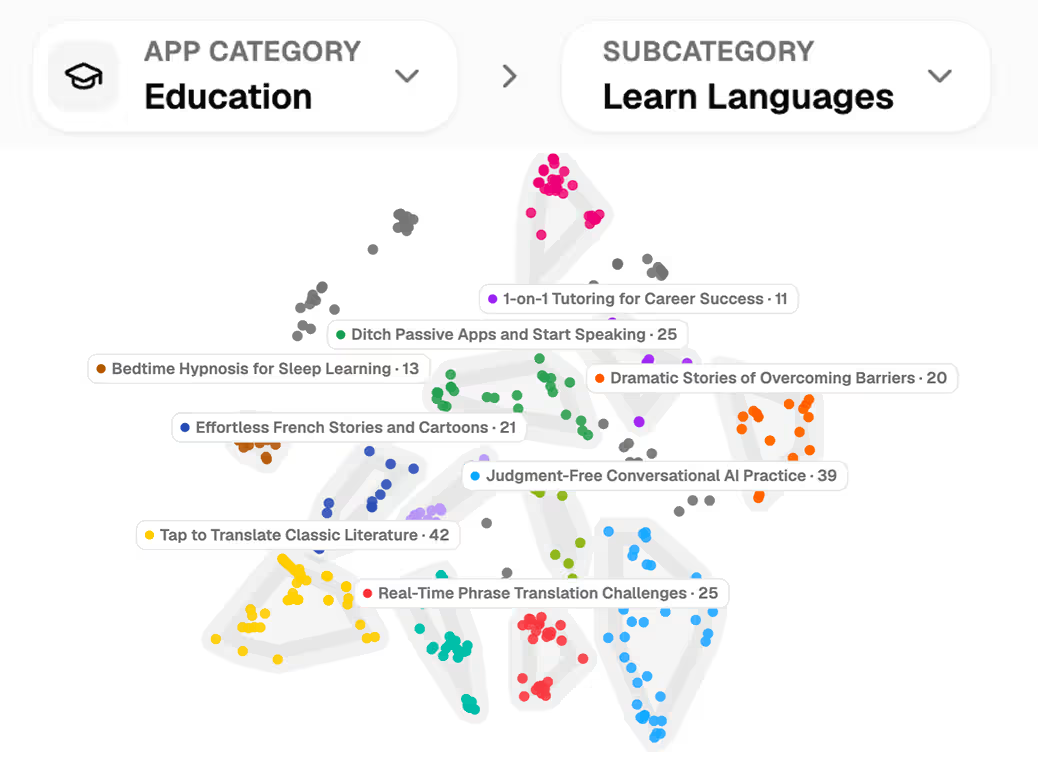
Explore a map of winning mobile app ads grouped by idea. Highlight your app and its competitors to see where you overlap, which ideas are emerging, and what you haven’t tried.
Loved by growing apps and leading app studios

Breeze

Vocal Image

Instories

Bend

memoryOS

Glam AI

Windy

AppNation

Parrot

MyEdSpace

Lingvano

Talaboos
Breeze
Vocal Image
Instories
Bend
memoryOS
Glam AI
Windy
AppNation
Parrot
MyEdSpace
Lingvano
Talaboos

EWA

rocapine

Peech

Woofz

Dil Mil

Tiny Minies

Loora

BitePal

SevenApps

Lingokids
Freeletics
Kotcha
EWA
rocapine
Peech
Woofz
Dil Mil
Tiny Minies
Loora
BitePal
SevenApps
Lingokids
Freeletics
Kotcha
Read the creative map
Category and subcategory views
Adjust the market you’re comparing so a broad trend doesn’t drown out a relevant niche.
Clusters of related ads
Open a group to move from a pattern on the map to the creative that defines it.
Brand highlights
See where selected apps concentrate their creative and where their coverage differs.
Current and historical patterns
Compare active ads with the wider history to distinguish an emerging theme from one that has been around for a while.
See the category before you write the brief
Choose the market that matters
Start with a category or narrow to a subcategory. The map groups ads around shared creative ideas.
Open a cluster
Inspect the individual ads behind a theme. See how different brands express the same idea before deciding whether it fits your app.
Put your app on the map
Highlight your brand alongside selected competitors. Look for ideas you both use and clusters where only one of you appears.
Plan what to test next
Which ideas are common across the category?
Open clusters with ads from several brands. Look for the shared premise across different executions.
Where is our creative concentrated?
Highlight your app and see whether its ads span several themes or sit mostly in one.
What have others tried that we haven’t?
Compare your footprint with competitors’ and inspect the gaps for ideas relevant to your audience.
Is an idea still being used?
Filter for active ads and compare them with earlier work before committing to a new test.
Good to know before you start
- A cluster groups related creative ideas; it doesn’t rank them by return on ad spend.
- The category and subcategory you choose set the comparison.
- Open the ads in a cluster before turning its label into a brief.
“Spiral has become a core part of our creative workflow. As a lean team, we use it to monitor competitors, identify emerging trends, remix winning concepts, and localize ads across markets.”
Yulia Karasik
VP Marketing, Loora

Customer stories
Loora
Spiral has become a core part of our creative workflow. As a lean team, we use it to monitor competitors, identify emerging trends, remix winning concepts, and localize ads across markets.

Yulia Karasik

VP Marketing

Reface
I tried lots of competitor trackers. Spiral is the first tool where research feels really good. The team kept asking for seats until we ran out. When the API shipped, I plugged it straight into my Claude agents.

Hlib Petrov
Head of Creative Marketing
Tiny Minies
We’ve been with Spiral since the early days, and watching the platform evolve has been incredible. It completely changed how we handle competitor intelligence and creative production now.

Volkan Taban
Co-founder & CMO

Kidology
Spiral increased our static creative output by 180%. Our creative producers were onboarded in just one day and quickly began delivering high-quality visuals, several of which we successfully scaled.

Alex Bondarenko
Founder
Parrot
Spiral's MCP supercharges the creative ideation process for ads. I recommend it for teams that are getting serious about their performance marketing. Go download Parrot on the app store!

Amir Hanna
Co-founder & CEO


Choose your plan
Select the plan that best fits your needs.
Upgrade or downgrade at any time.
Upgrade or downgrade at any time.
Monthly
Yearly
2 months free
Explore
$175
$175
/ month
2 team members
500 MCP credits
Includes:
Explore winning and trending ads


Track unlimited apps and websites
Create and share ad collections
Creative Meta Ads analytics
Get MCP and API access
2 app profiles connected
1 ad account connected
Unlimited ad spend
Launch
$350
$350
/ month
4 team members
1,500 AI & MCP credits
All features in Explore, plus:
Generate AI video and static ads
Analyze creatives with AI tags
Translate videos to 30+ languages
Swap AI avatars in videos
Bulk upload to Meta Ads
Unlimited ad uploads
5 app profiles connected
5 ad accounts connected
Unlimited ad spend

Grow
$750
$750
/ month
10 team members
5,000 AI & MCP credits
All features in Launch, plus:
Team onboarding
Slack / Telegram chat
Priority feature requests
Order UGCs from real creators
10 app profiles connected
15 ad accounts connected
Unlimited ad spend
Scale
Built for high-volume creative teams that need unlimited access and priority support.
Custom AI credits
Creative strategy calls
Unlimited team members
Unlimited ad accounts connected
Custom pricing and volume discounts
Winning ad patterns FAQ
Can I compare my app with specific competitors?
Yes. Highlight selected brands on the same map to see where their creative overlaps and diverges.
Can I explore a subcategory?
Yes. Narrow the map to the part of the market you compete in, or zoom out to the full category.
What’s the difference between the map and the ad library?
The library helps you find individual ads. The map shows how ideas are distributed across many ads and brands.
App growth call
Book a call with CEO to discuss your app growth and creative production needs.

Thank you! Your submission has been received!
Oops! Something went wrong while submitting the form.
